Mapping No.14 - Vendor Invoice XML Import
To import a vendor invoice as an XML file from Therefore™ to NAV, the register fields XML Import need to be filled in.
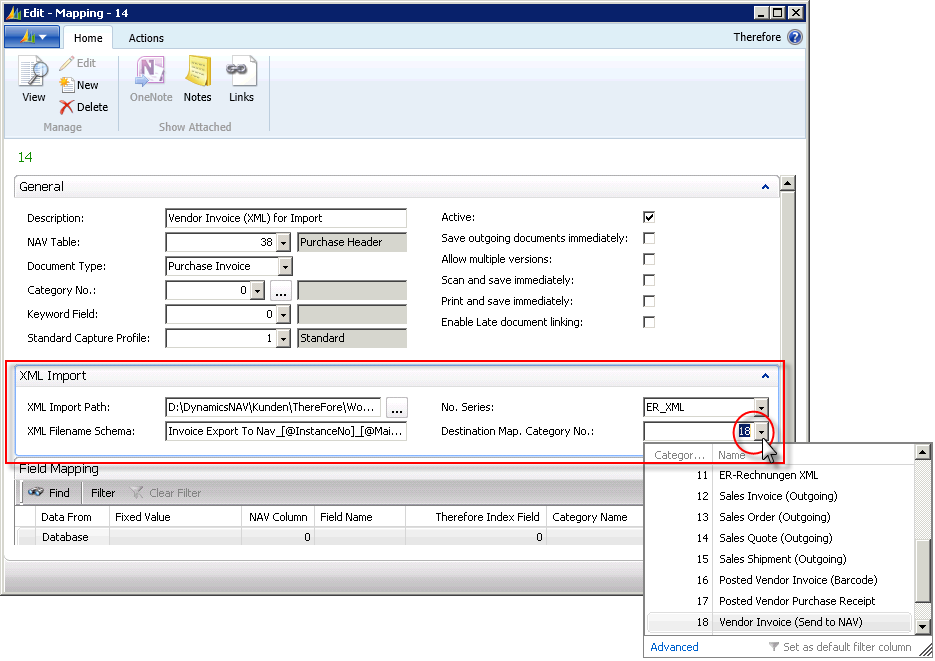
XML Import Path
Defines the folder in which the XML files are saved.
XML Filename Schema
Defines the structure of the XML file name. The allocation of the MainDocNo must correspond with the respective Therefore™ document.
No. Series
Defines the number series used by NAV.
Destination Map. Category No.:
Defines the Therefore™ category in which the corresponding documents are archived – in this case it is No. 18 (Vendor Invoice – Send to NAV).
The process starts by creating a new document in Therefore™. This requires the mandatory fields to be filled in (Date) – Therefore™ then allocates a document number. The XML file used must contain the following tags (example file Invoice Export To Nav.xml):
<?xml version="1.0" encoding="UTF-16" standalone="no"?>
<TheWFExport>
<TheIxData>
<Vendor_Invoice_No>12345</Vendor_Invoice_No>
<Vendor_No>50000</Vendor_No>
<Vendor_Name>Test JOM</Vendor_Name>
<Amount>325.25</Amount>
<LineItems>
<Row>
<Item_Type>Item</Item_Type>
<Quantity>10</Quantity>
<Item_No>1000</Item_No>
</Row>
<Row>
<Item_Type>Item</Item_Type>
<Quantity>5</Quantity>
<Item_No>1001</Item_No>
</Row>
<Row>
<Item_Type>Item</Item_Type>
<Quantity>3</Quantity>
<Item_No>1002</Item_No>
</Row>
</LineItems>
</TheIxData>
</TheWFExport>
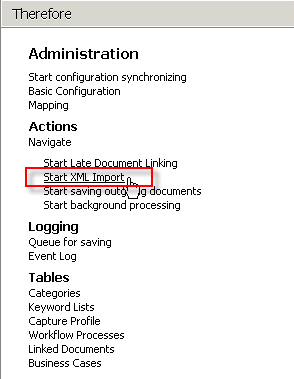
The generated XML file must be placed in the folder described under XML Import Path and needs to contain, as a second number (@MainDocNo) the document number of the Therefore™ document in order to create the link. When the function Start XML Import (Therefore™ main menu – Actions) is run, the XML file information will be imported into NAV.
A vendor invoice is created in NAV with a document ID corresponding to the allocated number range. In order to open the linked Therefore™ document in the Therefore™ Viewer, the View function can be run in the card view of the vendor invoice.
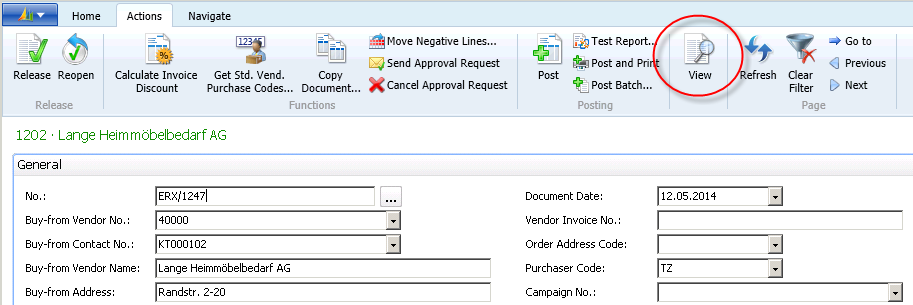
This enables the respective document in the Therefore™ archive to be viewed and, if necessary, to also make entries and changes before posting in NAV.