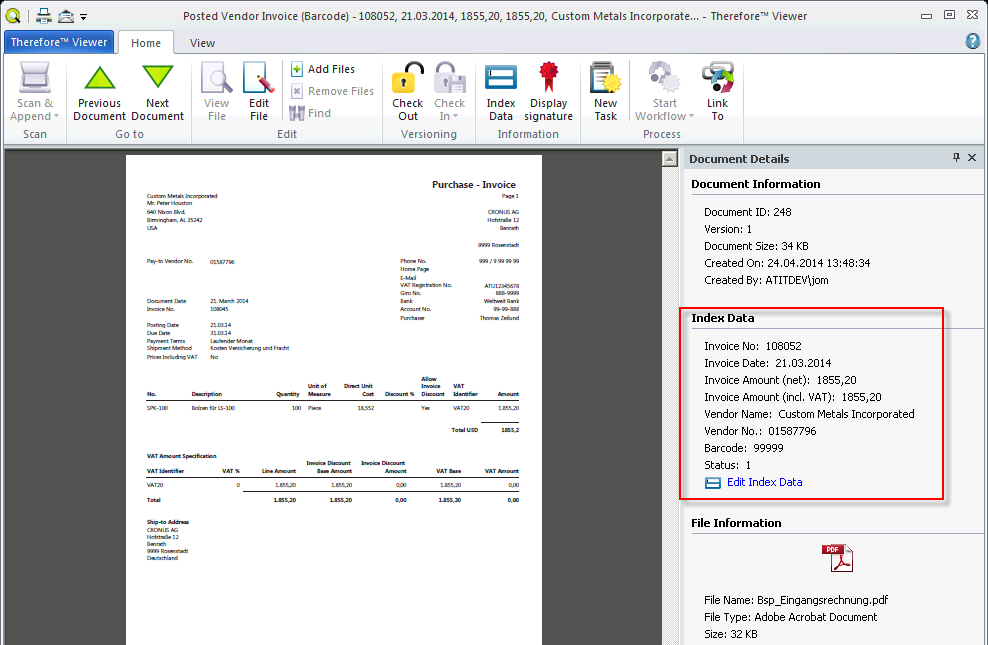
Mapping No.12 - Posted Vendor Invoice (Barcode)
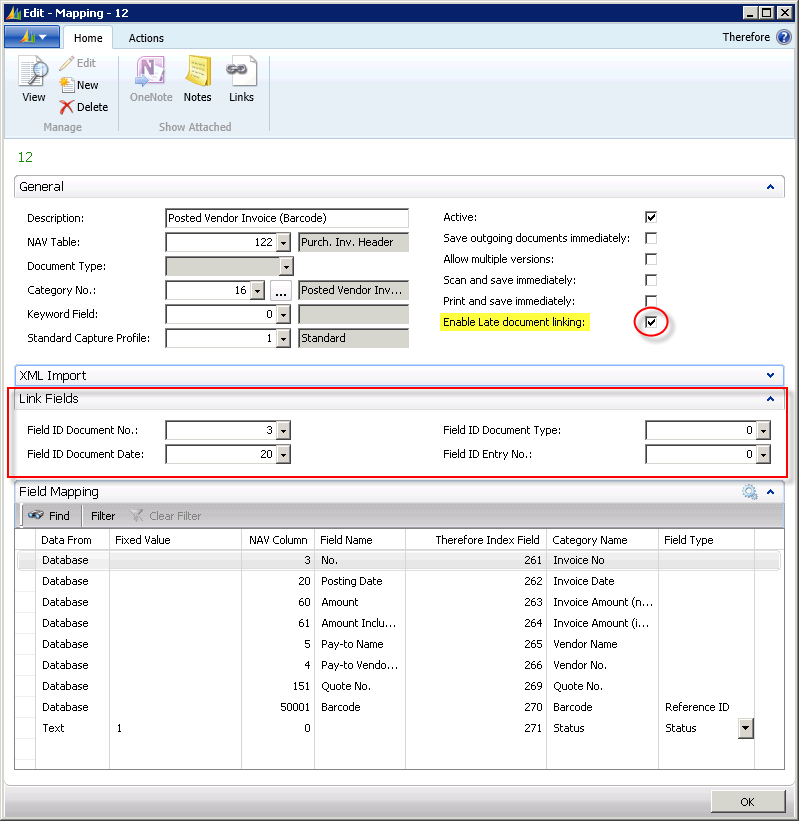
The process is reversed for the allocation of vendor invoices. An incoming invoice is first archived in Therefore™ in the category PostedVendorInvoice (Barcode), from where it is then linked with the vendor heading of a posted vendor invoice (NAV table 122 – Purch. Inv. Header).
Linking is carried out at a later point (the Enable late document linking box is activated in the general register).
Furthermore, the LinkFields register is displayed. LinkFields defines the fields through which linking takes place, which in this case is the document number and document date. The barcode field is the most important field mapping for this category. This mapping allows linking of the Therefore™ documents and NAV documents. The Status field of Therefore™ index data fields prevents a Therefore™ document from being collected more than once. This value is set to the standard value of 0 (zero) in Therefore™. This value is set to 1 if the document is collected by subsequent linking, and once set, will no longer be considered for linking.
Allocating Barcodes
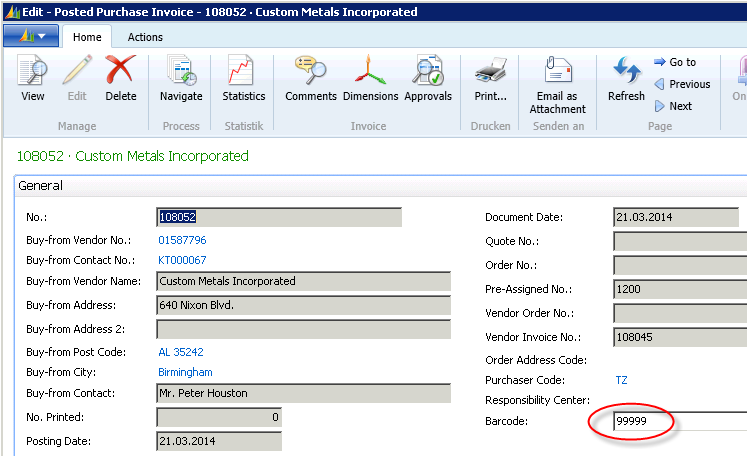
Mapping of archived Therefore™ documents to the corresponding NAV document is achieved through allocation of a barcode. If an order is made in NAV and posted there, the resultant posted vendor invoice must be allocated a barcode in order to create a connection to archived (or still to be archived) Therefore™ documents. The corresponding field will already have been added to the purchase invoice card in NAV.
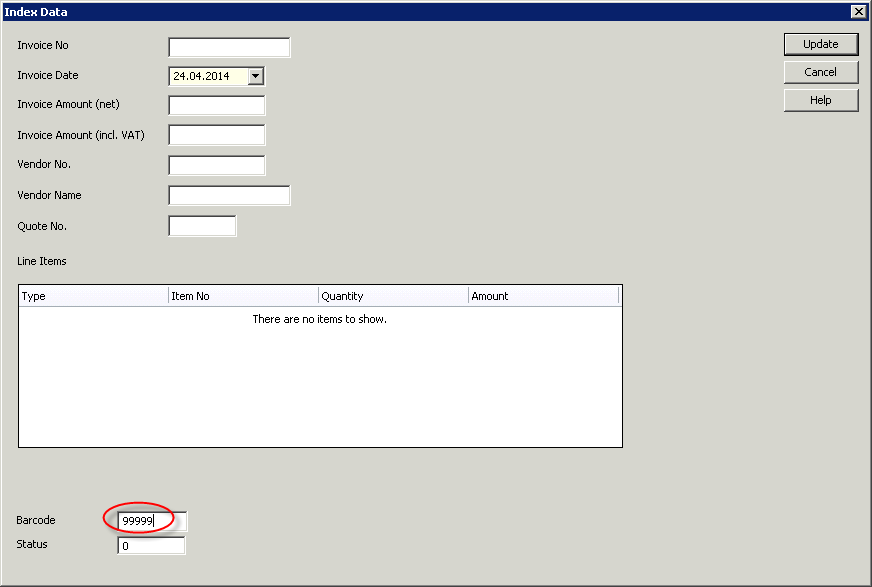
When creating a new Therefore™ document via the Therefore™ Viewer in the Therefore™ folder
NAV 2015 >IncomingDocuments>PostedVendorInvoice (Barcode) and allocating the index data, the barcode also needs to be entered. As the date is a mandatory field, it must also be entered. Mapping index data is carried out through NAV. An identical barcode is sufficient for mapping purposes.
Start Late Document Linking
In order to collect a saved document from the Therefore™ archive, i.e. to create a link to the NAV document and fill in the index fields in the Therefore™ documents, the NAS can either be activated or the function Start late document linking can be carried out from the Therefore™ menu (under Departments>Administration), to specifically execute linking.
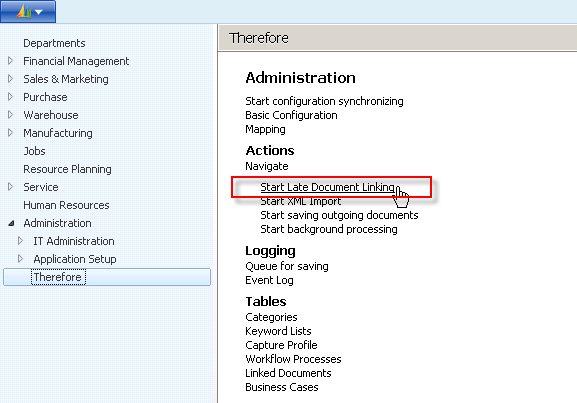
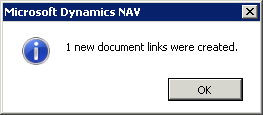
The following message box should appear:
Viewing Linked Documents
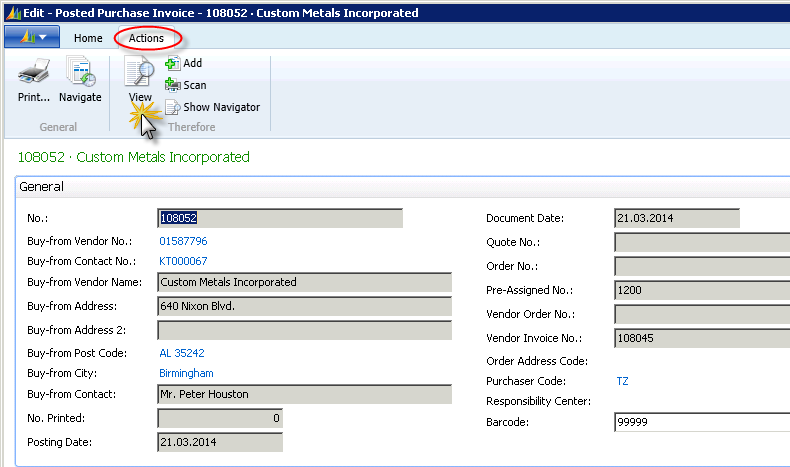
It is possible to display documents linked to Therefore™ in the posted purchase invoice card (or respective NAV card) under Actions > View.
The resultant display shows a filtered view of the archived documents list for the relevant NAV entry. The documents can be administered via the functions in the Therefore™ menu. By selecting the desired line and clicking the “View” button, the archived Therefore™ document will open in the Therefore™ Viewer. Alternatively, the On-Assist-Button (button with 3 dots) next to the document number can be clicked to open the document in the Therefore™ Viewer.
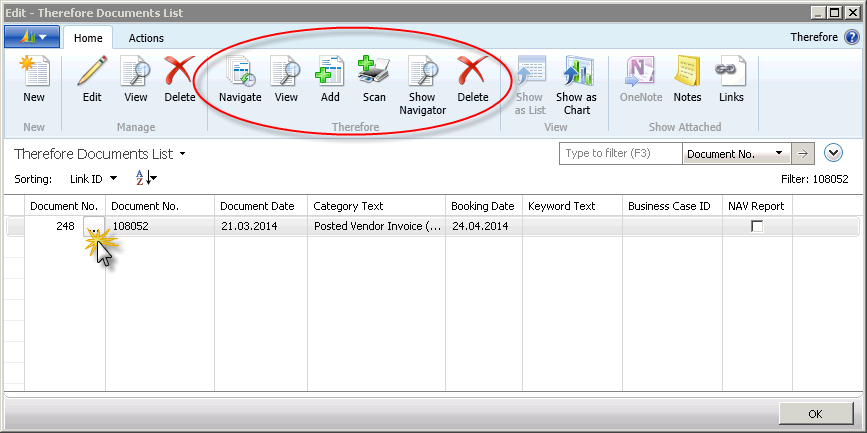
The index data of the posted vendor invoice (barcode) is filled with the respective NAV data through the barcode linking.