Mapping No.11 - Delivery
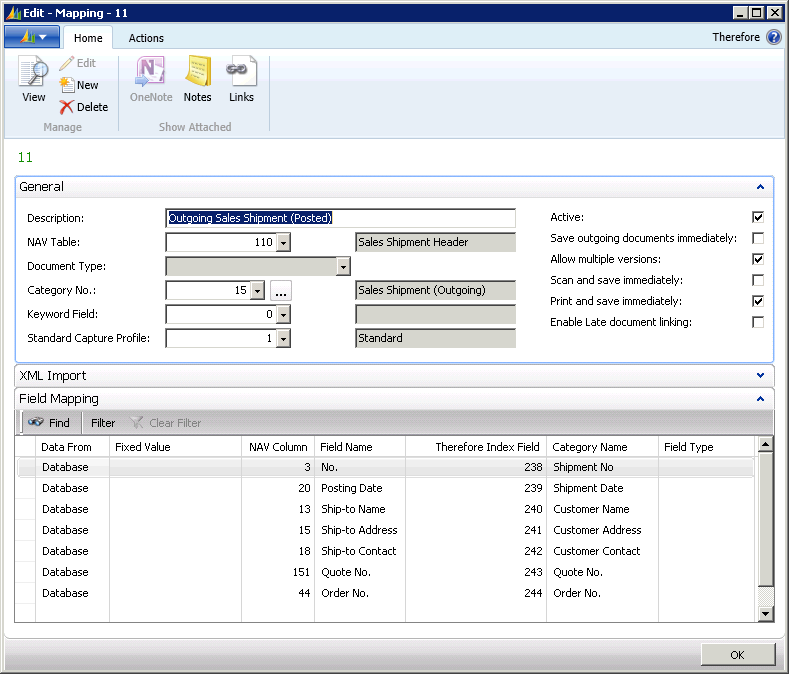
The mapping of the delivery note is similar to mapping No. 8. If a delivery note is printed, the information is drawn from NAV table 110 (SalesShipment Header) and saved according to the field mapping in the Therefore™ category SalesShipment (Outgoing). Various versions are possible, but the documents are not saved immediately.
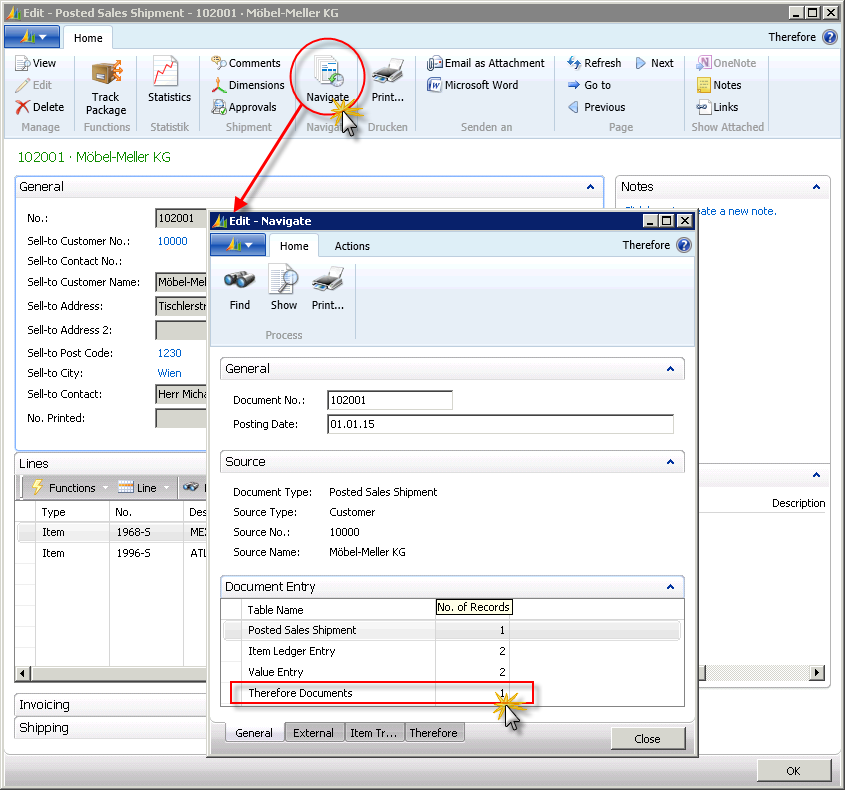
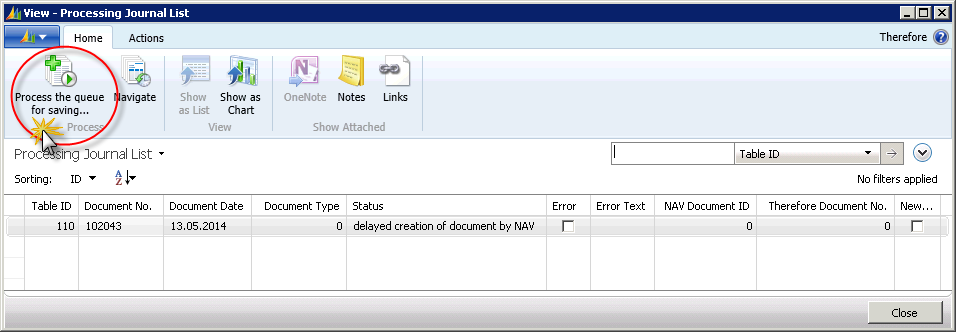
The processing journal for a single NAV document can be called up via the standard NAV function Navigate. For the example of sales delivery, an addition is made in the Navigate card in the Document Entry field. If there are any documents concerning this specific NAV document in the queue for saving into Therefore™, they will be shown here. By clicking on the number in the processing journal (Flow Field) the corresponding documents will then be saved in Therefore™ when running the function 'Process the queue for saving'.