NAS Job Queue
The NAS job queue is a background service for the following tasks:
-
Saving outgoing documents (e.g. Reports)
All reports that were specified in a mapping of type Backend or Drag&Drop / Backend will be generated and saved to Therefore™. -
Late document linking
-
Clean-up of document-links where object in BC no longer exists
When an entry is deleted in BC (e.g. an unapproved PO), the document-link will be marked for deletion. The NAS job queue will delete all links that are marked for deletion. With the "Delete orphaned Therefore documents" option activated, it will also delete the documents from Therefore™.
The NAS job queue is required for the correct operation of the Therefore™ BC Connector. For operations that require a connection to Therefore™, the credentials specified in the Home Tab will be used.
It needs to be set up once and will then work for all users. Click the button Setup Job Queue to start the setup.
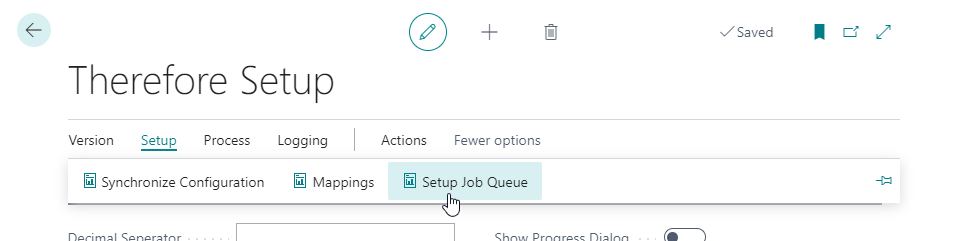
Click on New to create a new job:

-
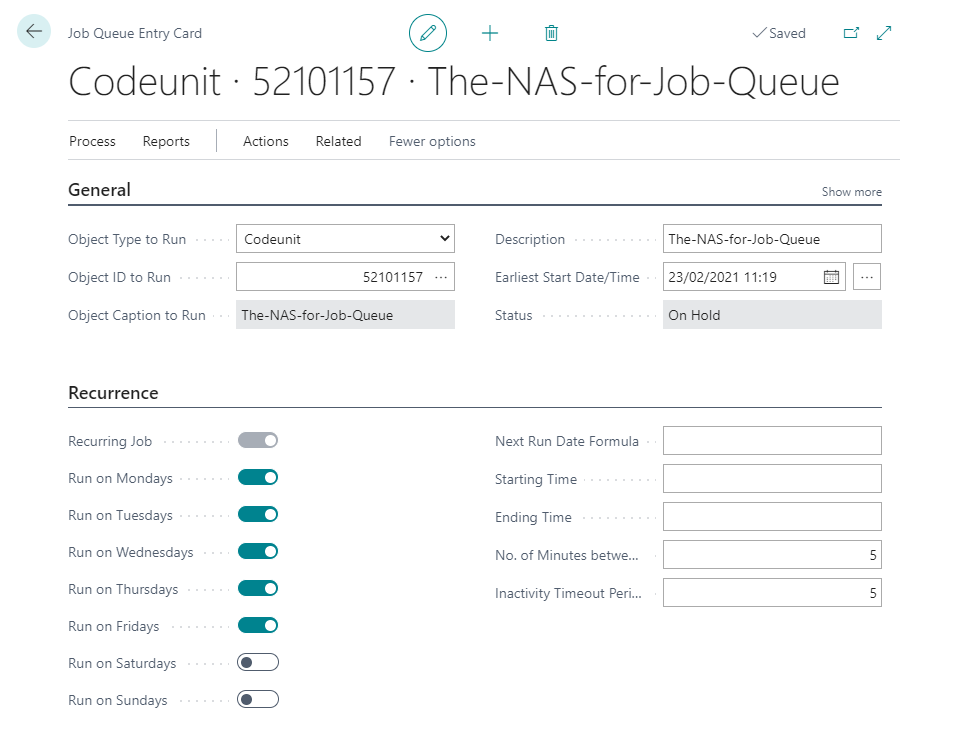
As Object Type to Run choose Codeunit.
-
As Object ID to Run choose 52101157 which is the Therefore™ NAS job-queue.
-
Specify the time interval and days of the week on which the task should run. At least one day of the week must be selected.
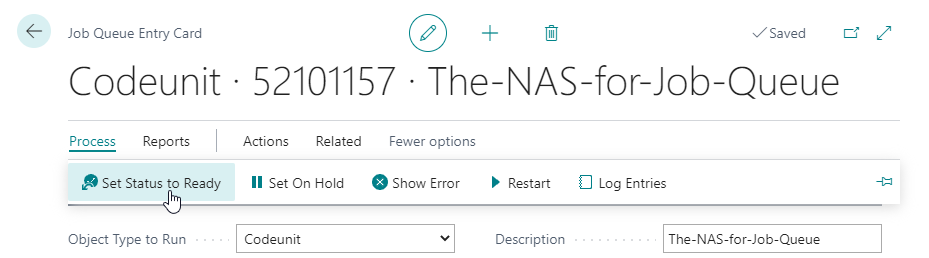
When everything is configured and a start date is set, the job queue needs to be activated:
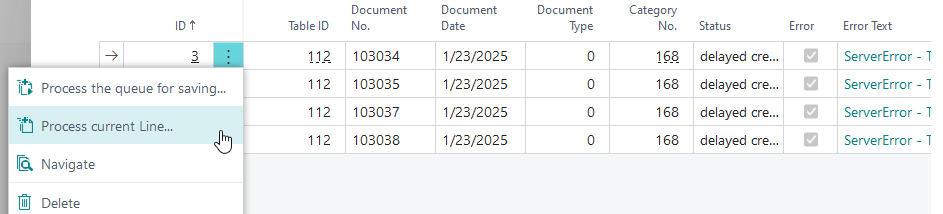
In case saving outgoing documents has failed the document will be marked with “error” in the queue.
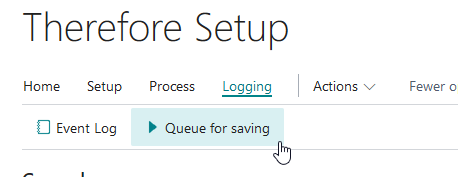
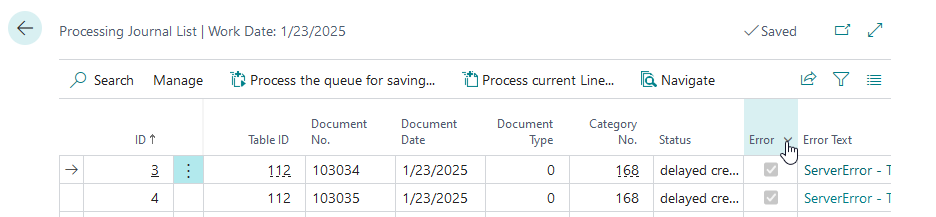
Additionally, an e-mail will be sent, to the recipients provided in the Therefore™ Setup. The NAS Job queue will continue to process all other items in the queue except the ones marked with error. You can remove the error flag by either clicking Process current Line for a single entry or Process the queue for saving to retry all.