Late Document Linking
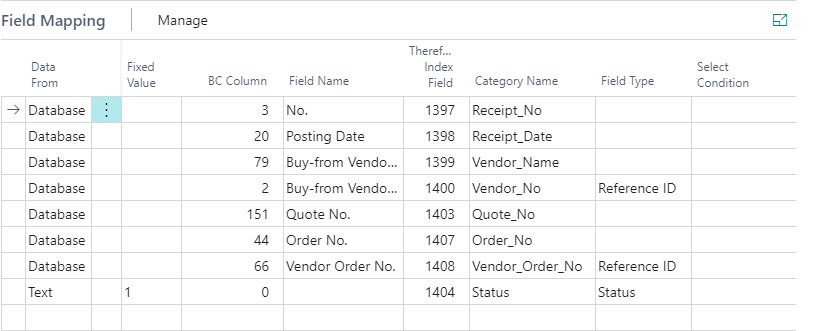
Late document linking is used for linking existing Therefore™ documents to (newly created) Microsoft Dynamics 365 Business Central entries based on a certain reference field. For this feature, a special status field is required.

|
Note:
|
For more complex select conditions, that include multiple fields, you can set them up under “Select Conditions”
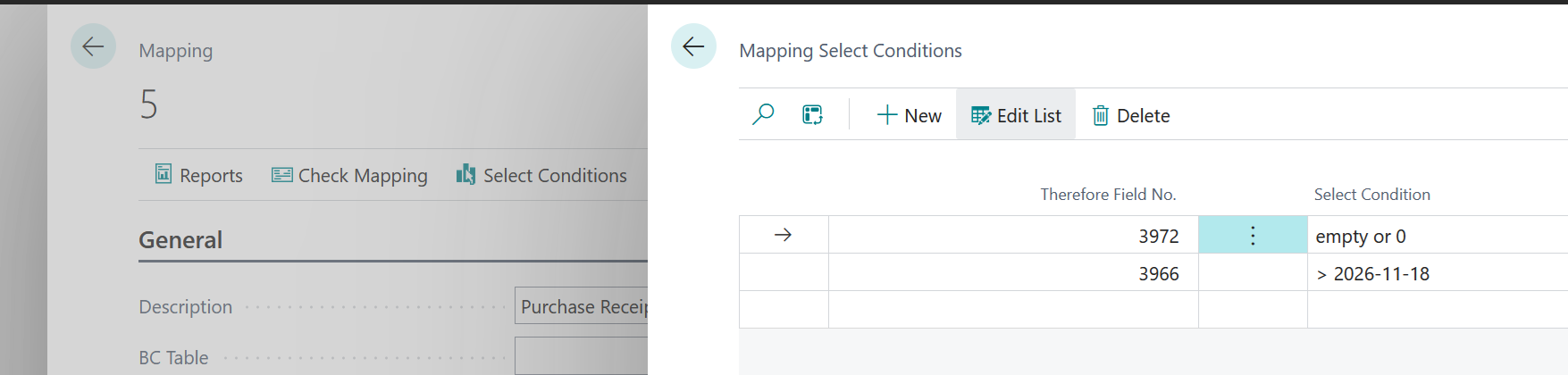
The field-number can be selected from a drop down. The select condition must be entered manually. It supports the same syntax as normal index-data search in Therefore™. For example, “empty”, “not empty”, “or”, “and”, “<” and “>” operators are allowed. Dates need to be entered in ISO8601 format.
A “Reference ID” is also required, so Therefore™ knows which field should be used for late linking. If a single field is not sufficient to form a unique key, multiple fields can be tagged as “Reference ID”.
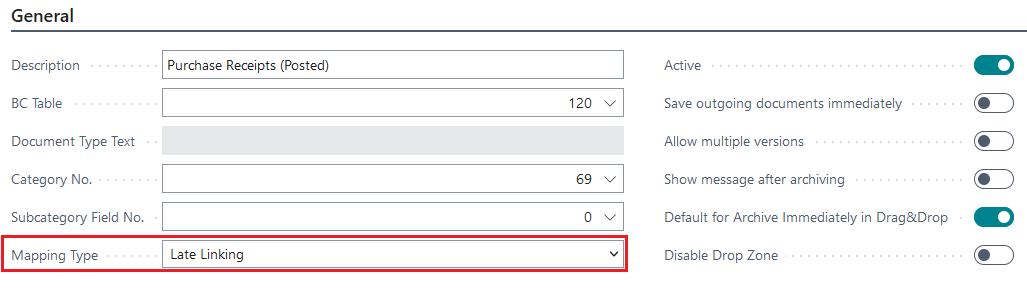
The Mapping Type needs to be Late Linking.
It is possible to test the configuration immediately by using the Run Late Document Linking button.
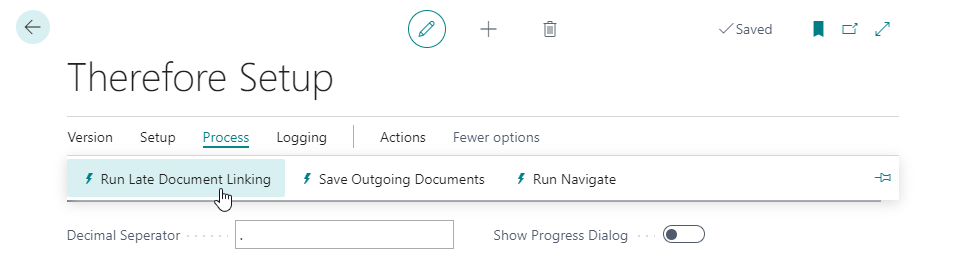
Usually, late document linking is done in the background as a reoccurring task by the NAS job queue. In this case, the credentials configured on the Therefore™ Setup page will be used for late document linking.
However, if the button Run Late Document Linking is clicked, the command is executed as the user that is currently logged on.
The Late Linking feature will search for new documents in which the 'Status' field is still 0. For that reason, the Execute searches permission is required in order to use the feature.