Web Service Configuration
After the setup wizard has finished, a web service with the name Therefore™ Content Service for SAP NetWeaver will be installed. It's possible to choose which user should run the service. By default this is set to the Local System account, but this can be changed to a domain user if required.
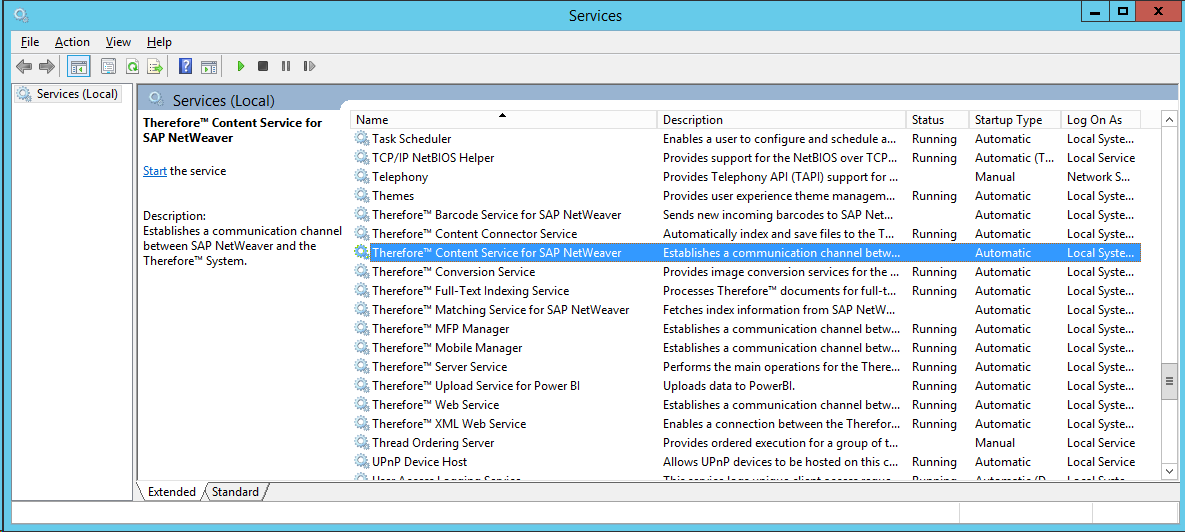

|
We recommend using an appropriate domain user to run the Therefore™ Content Service for SAP NetWeaver. In the Registry, under "HKEY_LOCAL_MACHINE\SOFTWARE\Therefore\SAP\CONTENTSERVER" the value 'TheAuthentication' should be set to 'NT'. |
Test HTTP communication
The communication of the Therefore™ SAP Web Service can be tested using the following URL: http://localhost/SAPHTTPCONTSRV/Thelink.aspx. The request should respond with Error HTTP 400 - Bad request. Other Errors like HTTP 500 would mean that the communication process is not set correctly. Please consult the Windows Eventlog for further details and analysis.