Finding the information in SAP NetWeaver
The following information is needed from the SAP Consultant / Customer
-
Tablename(s)
-
Column Name (s) needed
-
Key which identifies the item in the table
Finding the information
-
Open the Business Object you would like to match (e.g. Incoming Invoices).
-
Set the cursor to the field you want to match and press F1. This opens the Performance Assistant. Click the Technical Information icon.
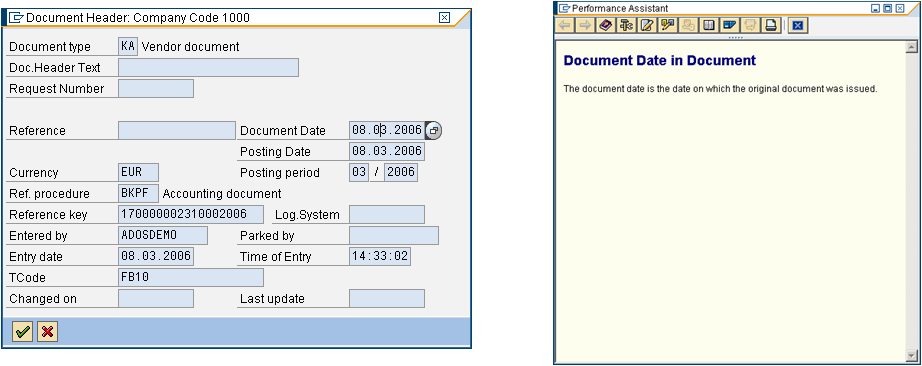
-
The Technical information dialog will open. From which you can get the Table name, Column (Field) name.
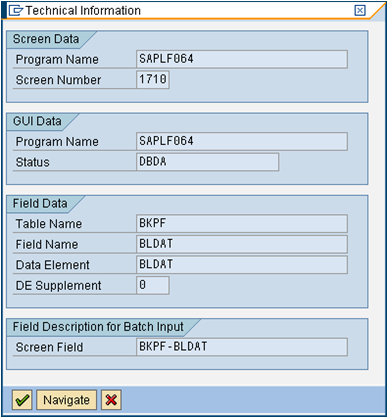
For more details on the table use the transaction /nse16.