Installed Therefore™ Client Software
To connect the standard Therefore™ applications to the tenant server, the following steps need to be performed:
-
It is necessary to edit the file "TheXMLServer.exe.config" found in the Therefore™ installation folder on the server, e.g. C:\Program Files\Therefore\. See below for what the config. file will look like and what changes must be made. The second one is only required in case an XML Transfer Folder will be used. For more information about using transfer folders, please see the Installation Guide.

-
"TheXMLServer.exe.config" file is edited on a server.
Copy<?xml version="1.0"?>
<configuration>
<appSettings>
<!-- Uncomment in a multi-tenant environment -->
<!--
<add key="ServiceName" value="TheXMLServer"/>
<add key="Port" value="8001"/>
<add key="UseHTTPS" value="0"/>
-->
<!-- Uncomment the following if using XML Transfer Folder -->
<!--
<add key="TransferFolder" value="C:\Therefore\TransferFolder"/>
<add key="UploadFolderCleanupTime" value="24"/>
<add key="DownloadFolderCleanupTime" value="24"/>
-->
</appSettings> -
-
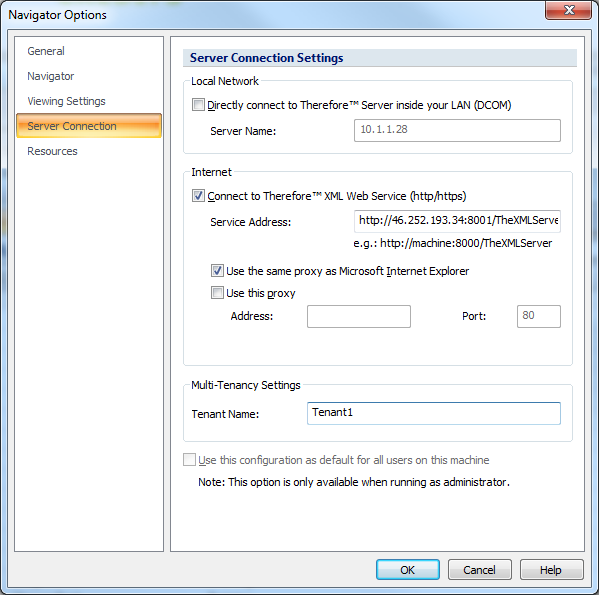
An address of Therefore™ XML Web Service and tenant name must be entered in the client's Server Connection Settings.
Connection settings are configured on a client.